
GrowPad Care Platform
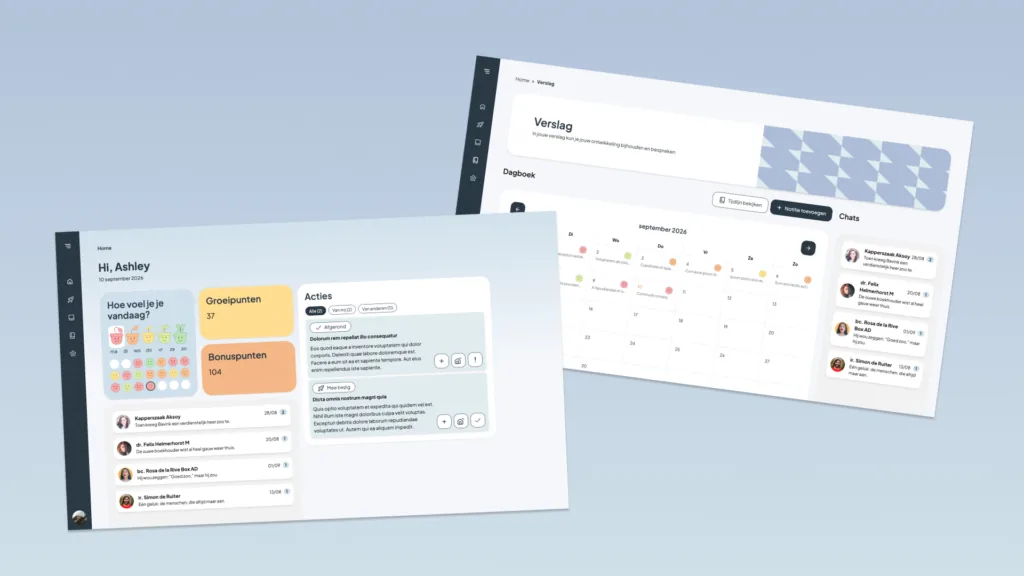
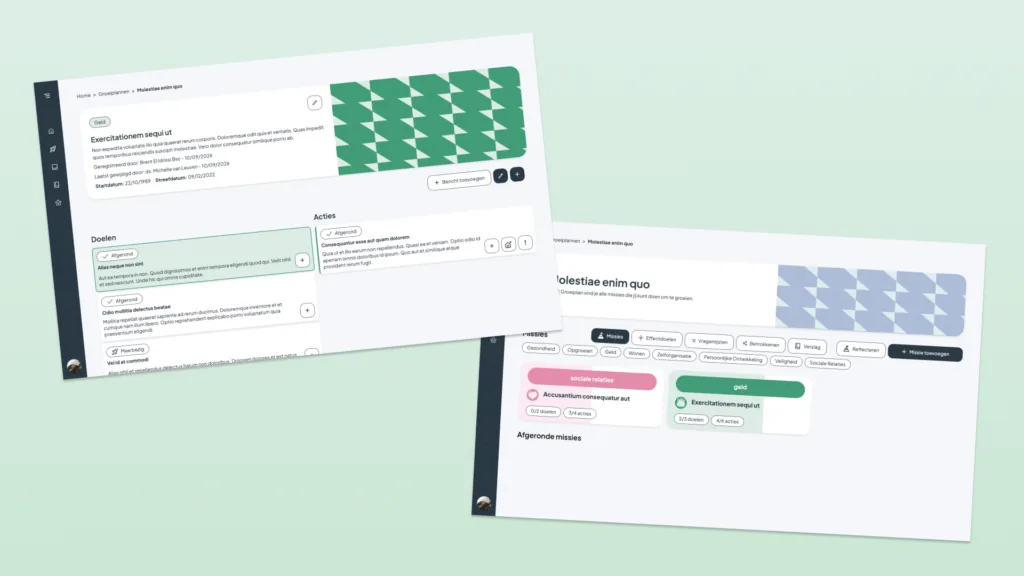
GrowPad is a platform for residents and coaches to organise personal development, goals, guidance moments, and progress. I worked on it at B302 as a frontend developer.
This page is focused on my part of the work: the profile page, the organisatie and beheer dashboard screens, the growplans card overview with archiving, and the timeline feature.
My focus areas
Profile page
Editable personal details, location, notification settings, password, 2FA, app install, and account actions.
Organisatie / beheer
Dashboard-style overview screens for data, organisations, management areas, and admin navigation.
Growplans
Tabbed card overview for owned/shared plans, edit mode, archive actions, restore actions, and empty states.
Timeline
A chronological verslag view with filters, pagination, event cards, icons, comments, and links back into the plan.
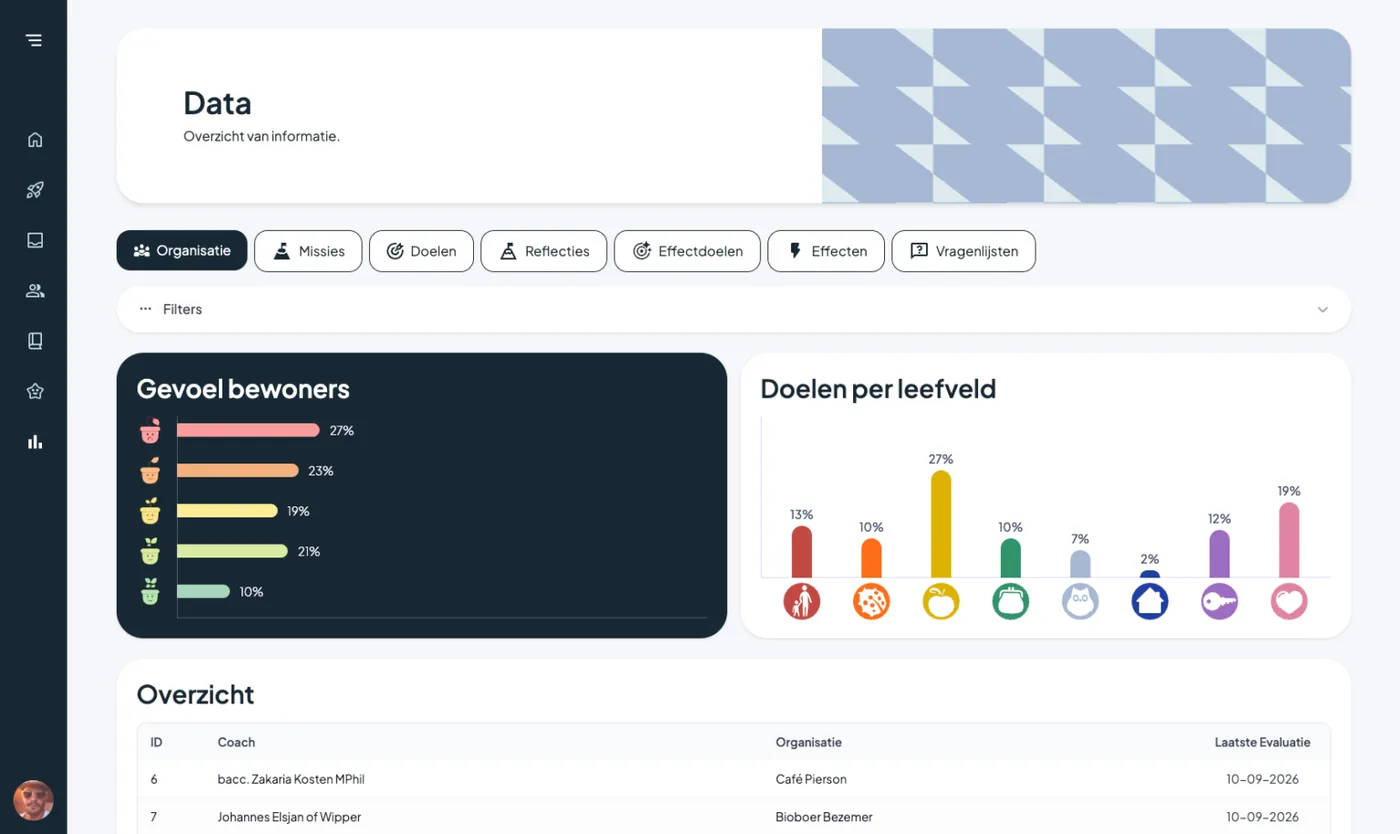
One of the overview-style screens: compact data, clear sections, and enough hierarchy to scan quickly.
Profile page
The profile page was mostly layout and interaction work: keeping personal details, settings, notification preferences, security options, and account actions understandable without turning the screen into one long form.
<ProfileLayout>
  <ProfileHeader editableAvatar />

  <ProfileColumn title="Persoonlijke gegevens">
    <PersonalDetailsForm />
  </ProfileColumn>

  <ProfileColumn title="Instellingen">
    <NotificationSettings />
    <SecuritySettings />
    <AppSettings />
  </ProfileColumn>
</ProfileLayout>
On mobile, the same information becomes a simpler stacked flow. The main goal was that users can still find the important actions without needing a desktop-sized layout.
Organisatie and beheer screens
For the organisation and beheer screens I worked on overview UI: tabs, dashboard cards, filters, tables, and empty states. These screens needed to feel structured enough for administrators, but not so dense that every view looked like a spreadsheet.
const dashboardSections = [
  { label: 'Organisatie', icon: OrganisatieIcon },
  { label: 'Missies', icon: MissieIcon },
  { label: 'Doelen', icon: GoalsIcon },
  { label: 'Effecten', icon: EffectsIcon },
];

<DashboardNav>
  {dashboardSections.map((section) => (
    <Button key={section.label} prefixIcon={<section.icon />}>
      {section.label}
    </Button>
  ))}
</DashboardNav>
The beheer landing page uses a simple card grid. Each card explains one management area and gives the user a clear next action.
<Card title="Effectdoelen">
  <p>Beheer outcomes en verantwoording voor de organisatie.</p>
  <Button>Beheer Effectdoelen</Button>
</Card>
Growplans: cards, edit mode, archive
The growplans page is card-based. I spent time making the cards show the right amount of information: title, icon, number of missions, sharing state, and edit/archive controls.
<GrowPlanCard
  title="Mijn groeiplan"
  icon="star"
  missionCount={4}
  sharedWith={2}
  mode="view"
/>
In edit mode the same card surface changes role. It becomes an object you can manage instead of just open. Archived plans are visually quieter and can be restored from a separate section.
<GrowPlanCard
  title="Gearchiveerd groeiplan"
  missionCount={3}
  mode="archived"
  actionLabel="Herstellen"
/>Timeline feature
The timeline was the most interesting UI flow. It turns different kinds of activity into one chronological overview: messages, missions, goals, actions, evaluations, and mood updates.
const timelineItems = [
  { type: 'message', title: 'Bericht toegevoegd', side: 'right' },
  { type: 'goal', title: 'Doel aangemaakt', side: 'left' },
  { type: 'evaluation', title: 'Evaluatie ingevuld', side: 'right' },
];

<VerticalTimeline items={timelineItems} />
The card design had to make each entry scannable: a label for the type, a title, metadata, optional message content, and a visual marker on the timeline.
<TimelineCard
  type="evaluation"
  title="Evaluatie ingevuld"
  meta="Coach · vandaag"
  status="Op schema"
/>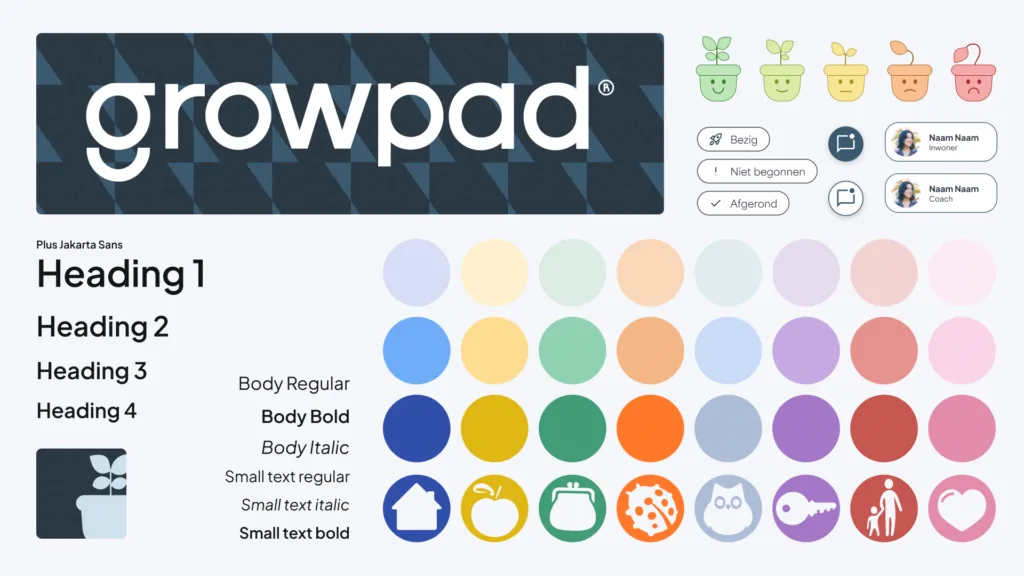
The design system gave the frontend reusable pieces for states, cards, icons, and hierarchy.
Responsive details
The screens also had to keep working on smaller devices. For me that mostly meant turning dashboard rows into stacked layouts, keeping card actions reachable, and not relying on hover states for important actions.
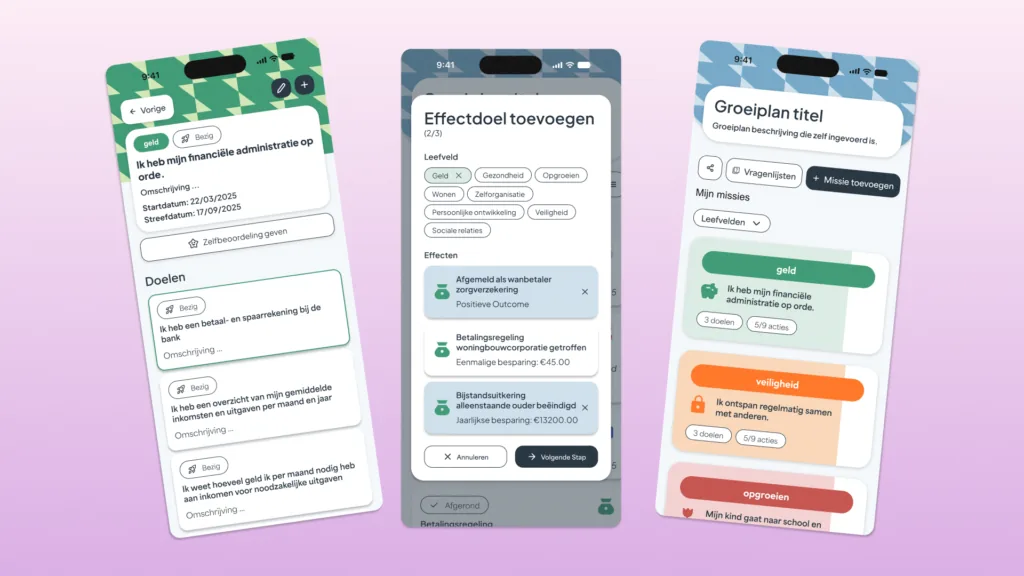
Mobile screens for residents and coaches using GrowPad on smaller devices.
Result
My part of GrowPad was frontend implementation around the places users return to often: profile settings, dashboards, growth plans, archive flows, and timeline history. The challenge was keeping those screens understandable while still exposing enough data and actions for coaches, organisations, and beheer users.